
The problem
Things break between reports. A developer pushes a change, a plugin updates, another vendor adds a tag. You find out at reporting time, or the client finds out first.
When to use this playbook
Any client on a retainer.
The workflow
- 01
Schedule every client in one step
Select workspaces on the Portfolio and give each a monthly or quarterly Diagnostic.
- 02
Hear about what changed
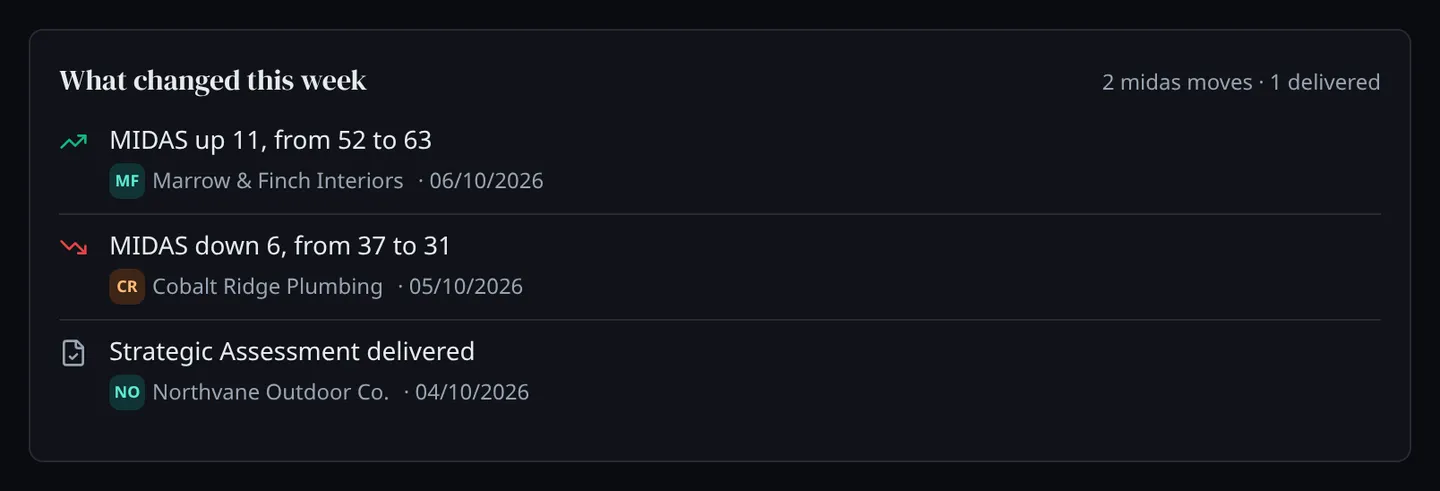
After each scheduled run you get a score-change alert or a summary. Every Monday, the agency’s owners and admins get one email listing what moved across the client book.
- 03
Rank the book
Sort the Portfolio by MIDAS score, by change since the last Diagnostic or by open action items, and filter by MIDAS band or pipeline stage.
- 04
Turn each new finding into scoped work
New findings arrive as action items with the evidence attached. Comparing two Diagnostics shows which blind spots closed and which opened.
- 05
Add a specialist read where it pays
A Citation Scan when AI visibility is the question, a Crawlability Scan when crawlers are turned away, a Strategic Assessment when the client needs a plan.
What you use
- Diagnostic Ten pillars scored from public evidence in 5–10 minutes, with every finding turned into an action item.
- Portfolio Every client workspace in one table, sortable by MIDAS score, change and open work.
- Citation Scan Sixty AI answers to ten fixed questions about the category, and every domain they cite.
- Crawlability Scan URL by URL, which pages AI agents and crawlers can reach and which they are turned away from.
- Strategic Assessment A working session with our team on what the findings mean and what to do first.
What you end up with
A short note to the client with the evidence attached: what changed on their side, what it affects, and what you propose.
The opportunity
Project work and retainer extensions that start from something you can show, rather than from a sales push.
What this playbook does not do
- Scheduled Diagnostics draw on your plan’s monthly allowance. Each workspace can use up to two a month by default, and you can change that.
- Comparing Diagnostics does not yet flag new or dropped competitors.
What comes next
Verify that a marketing problem was fixed
Mark the work done, have a second person confirm it, and let the next Diagnostic check it independently.
Read the playbook →Prepare for a client review
Pull what was wrong, what was done, what changed and what is still open for one client over any period, from the work already in their workspace.
Read the playbook →