
The problem
The quarterly business review (QBR) gets assembled by hand from several tools the night before, and it mostly says what you did rather than what changed. The client half-trusts it, because you marked your own homework.
When to use this playbook
A monthly or quarterly review is coming up.
The workflow
- 01
Open the client’s progress report
Pick last month, this month, last quarter, this quarter or any custom range.
- 02
Read it top to bottom
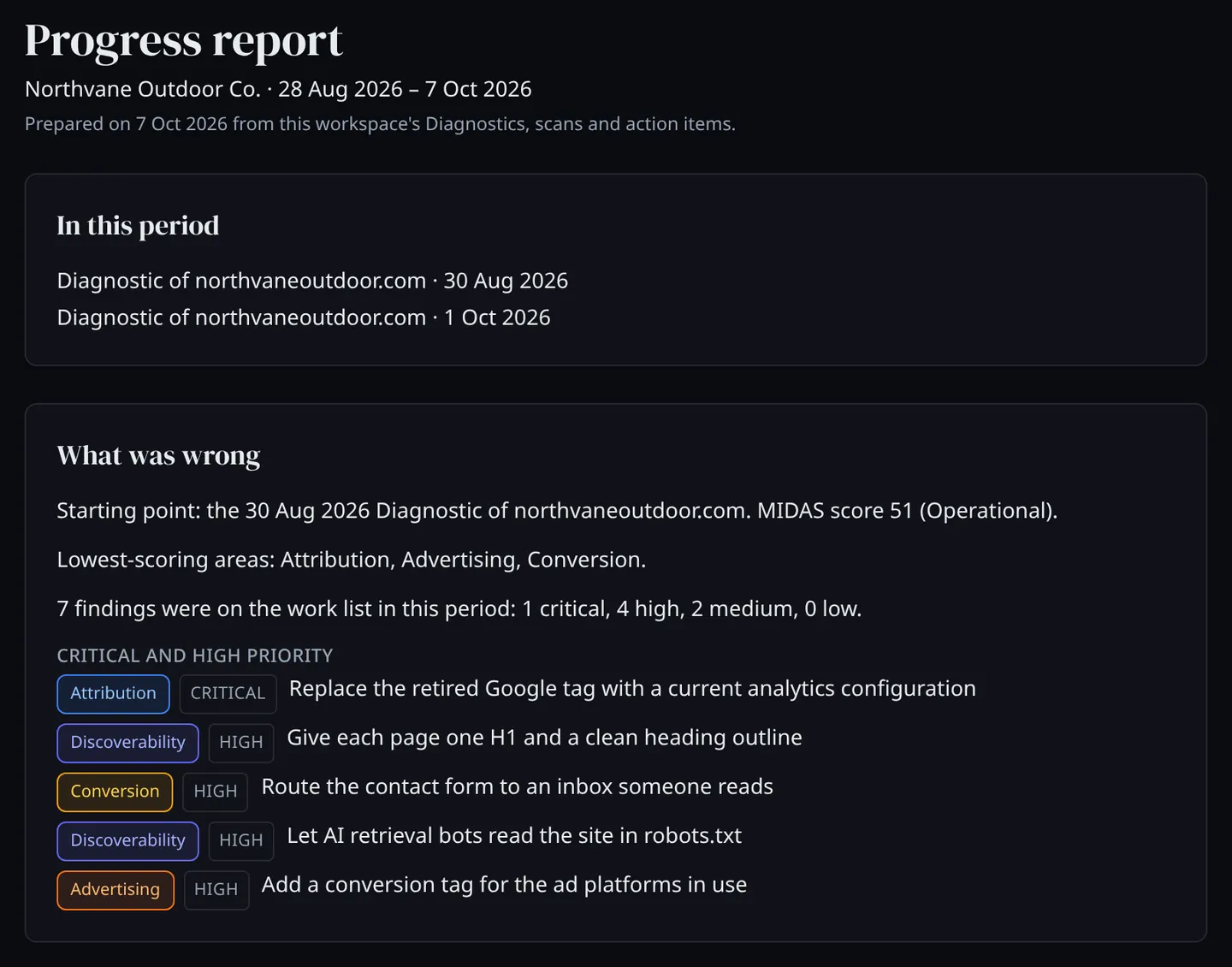
In this period, What was wrong, What was done, What changed, What is unresolved, Market changes. Every line comes from the Diagnostics, scans and action items already in the workspace.
- 03
Show how far each fix got
Each piece of work shows its rung: Completed (your team marked it done), Confirmed (a second person, often the client, signed it off) or Verified (Yellowhead’s next Diagnostic re-checked it and found it fixed).
- 04
Show the score movement honestly
Diagnostic scores are compared only between two runs made the same way. When the method changed between runs, the report shows both values side by side and says why there is no change figure.
- 05
Share it
Your client can open it under their own login, or you can print it or save it as a PDF.
What you use
- Progress report One client over any period: what was wrong, what was done, what changed, what is still open.
- Diagnostic Ten pillars scored from public evidence in 5–10 minutes, with every finding turned into an action item.
- Action items Each finding as a piece of work with a priority and an owner, tracked from Completed to Confirmed to Verified.
- Citation Scan Sixty AI answers to ten fixed questions about the category, and every domain they cite.
What you end up with
A review built from evidence: where the client started, what was done and how far each fix got, how the scores moved, and what is still open.
The opportunity
The unresolved list is next quarter’s scope, with the evidence already attached.
What the progress report does not do
- Market changes covers movement in AI citations among competitors only. Competitor news and ad changes are not in the report.
- Crawlability Scans are listed in the period, not compared.
- The client’s copy shows the Diagnostic and action-item sections. Scan results appear in your agency’s copy.
What comes next
Find new work in existing accounts
Put every client on a scheduled Diagnostic and let what changes between runs show you where the next piece of work is.
Read the playbook →Verify that a marketing problem was fixed
Mark the work done, have a second person confirm it, and let the next Diagnostic check it independently.
Read the playbook →