
The problem
A new client arrives with a stack nobody on your team built. Someone senior spends unbilled time working out what is installed, what is broken and what the last agency left behind.
When to use this playbook
You have signed a new client.
The workflow
- 01
Open a client workspace
One per client, with its own Diagnostics, action items, schedule and history. Invite the client to read along under their own login.
- 02
Run the Diagnostic
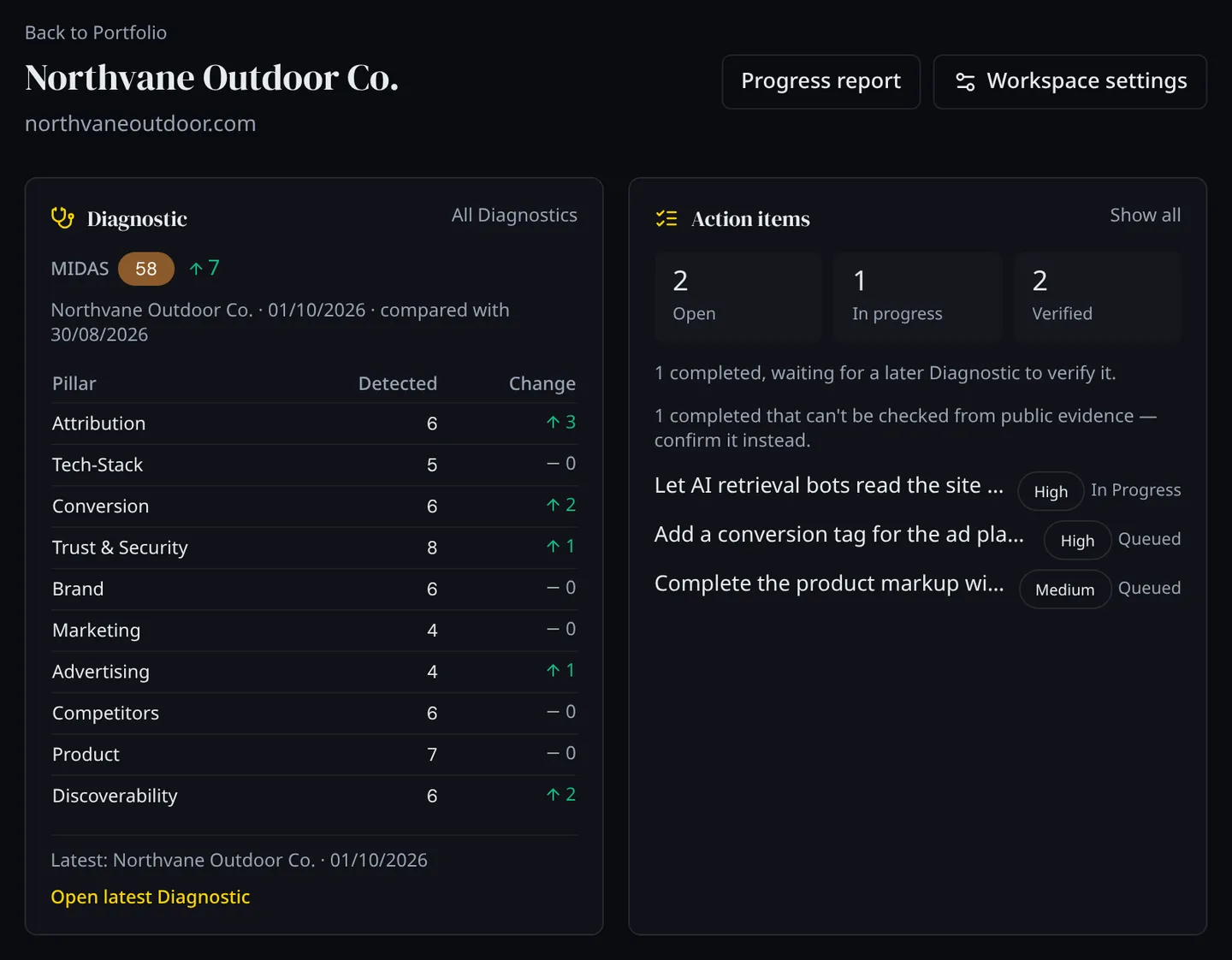
Ten pillars, from attribution to discoverability, scored from public evidence in 5–10 minutes and rolled up into a MIDAS™ score from 0 to 100. Every finding becomes an action item with a priority.
- 03
Add the specialist reads the findings call for
A Citation Scan when the client asks why AI assistants never mention them. A Crawlability Scan when crawlers are being turned away. A Competitive Report when positioning is the question. You buy what is relevant, not a bundle.
- 04
Bring in people where judgement is needed
A Strategic Assessment is a working session with our team on what to do first. An Infrastructure Audit goes underneath what the outside view can see.
- 05
Assign the first fixes and set a schedule
Set priorities, assign items to your team, and put the client on a monthly or quarterly Diagnostic so later changes are measured against this one.
What you use
- Diagnostic Ten pillars scored from public evidence in 5–10 minutes, with every finding turned into an action item.
- Citation Scan Sixty AI answers to ten fixed questions about the category, and every domain they cite.
- Crawlability Scan URL by URL, which pages AI agents and crawlers can reach and which they are turned away from.
- Competitive Report How a named competitor positions itself, drafted by our system and reviewed by a person before delivery.
- Strategic Assessment A working session with our team on what the findings mean and what to do first.
- Infrastructure Audit A hands-on review by our team of the systems the outside view cannot see.
What you end up with
A dated baseline for the client: scores, findings and a prioritised work list that every later check is measured against.
The opportunity
The audit is billable onboarding work, and the prioritised list is the first scope of work.
What a Diagnostic does not do
- It reads public evidence only. It does not log in to the client’s ad accounts, analytics or other systems.
- It sees what those systems show from outside, not how they are set up behind the login.
What an Infrastructure Audit adds
The inside view. You grant our team read-only access to the systems the Diagnostic pointed at (tag manager, analytics, ad accounts, customer relationship management (CRM), content management system, email platform, consent tooling) and we review each one hands-on.
- How each system is configured, and who can change it
- What it costs, and under what contract
- Prioritised findings, with remediation guidance for each one
- Findings delivered in your dashboard, under the same login as the Diagnostic
What comes next
Verify that a marketing problem was fixed
Mark the work done, have a second person confirm it, and let the next Diagnostic check it independently.
Read the playbook →Build a complete baseline for a new client
The full version of the new-client audit: the Diagnostic, every specialist read, a strategy session and a hands-on audit, ending in one prioritised roadmap.
Read the playbook →