
The problem
“We fixed it” is your word against the client’s doubt. Without an independent check, a fix is a claim.
When to use this playbook
Your team finishes work on a finding.
The workflow
- 01
Mark it complete
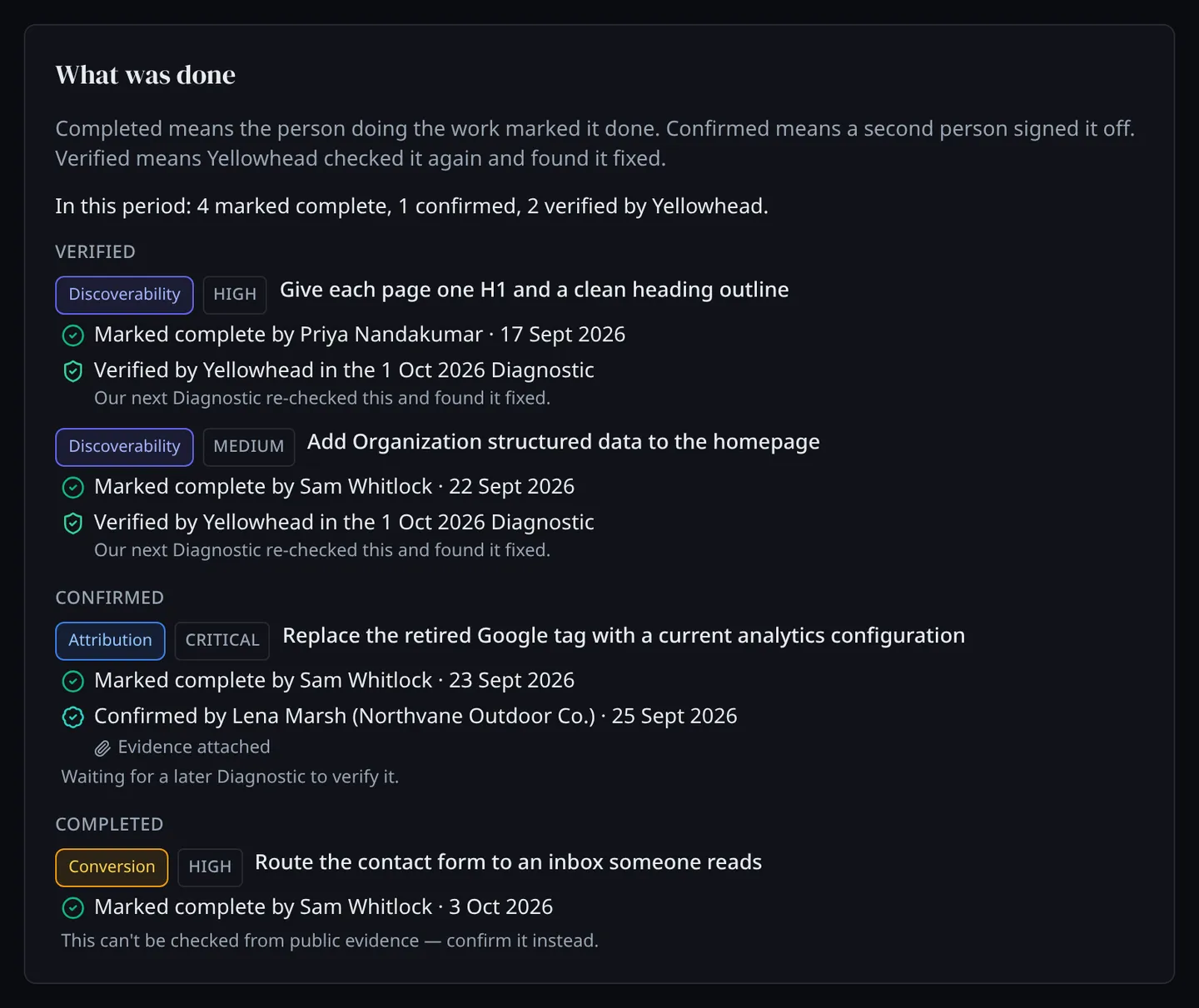
The person who did the work marks the action item complete. Their name and the date are recorded.
- 02
Have it confirmed
A second person signs it off: someone at your agency, or the client under their own login. They can attach a link to evidence and a note.
- 03
Let the next Diagnostic re-check it
For the findings Yellowhead can re-test from outside, the next Diagnostic of the client’s site checks again. If the problem is gone, the item is marked Verified, with a link to that Diagnostic.
- 04
Know which fixes can’t be checked from outside
Some fixes leave no public trace. Those items say so, and Confirmed is as far as they go.
What the next Diagnostic re-checks today
- A missing or monitor-only Domain-based Message Authentication, Reporting and Conformance (DMARC) policy, and a Sender Policy Framework (SPF) record that does not enforce: the two records that stop others sending email as the client’s domain
- Missing structured data, and missing Organization markup
- A missing cookie banner or privacy policy
- No agent manifest, the file that tells AI agents what the business does
- A broken heading outline
- No ad platform pixels, conversion measurement that runs only in the browser, and no Consent Mode
What you use
- Action items Each finding as a piece of work with a priority and an owner, tracked from Completed to Confirmed to Verified.
- Diagnostic Ten pillars scored from public evidence in 5–10 minutes, with every finding turned into an action item.
- Progress report One client over any period: what was wrong, what was done, what changed, what is still open.
What you end up with
A record for each fix: who did it, who confirmed it, and whether Yellowhead’s re-check found it fixed.
The opportunity
Proof of work for the retainer conversation, which you did not have to grade yourself.
What this playbook does not do
- Nobody can mark an item Verified by hand. Only Yellowhead’s own re-check sets it.
- The re-check is the next Diagnostic of the same site, which uses one of your plan’s monthly Diagnostics.
- A score going up is never treated as proof that a fix landed.
What comes next
Prepare for a client review
Pull what was wrong, what was done, what changed and what is still open for one client over any period, from the work already in their workspace.
Read the playbook →Find new work in existing accounts
Put every client on a scheduled Diagnostic and let what changes between runs show you where the next piece of work is.
Read the playbook →